This effect allows the renaming of text in the Summary table header.
As an example you can rename the Rating system to some new name. It is a very simple example of an effect but is presented as an idea where users can expand upon it to their requirements.
The code as it stands would rename Texel to NewText
2018/04/16 Updated to version 1.2 to work with https websites
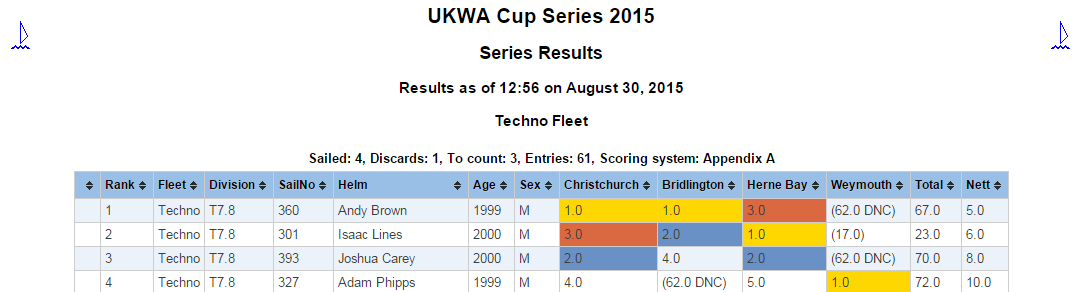
This effect allows the sorting of the columns for the results summary tables and sort indicators are added to the column headers. Columns are sorted alphabetically except the race columns which have a custom parser to make them numeric – so even if a result is discarded and the number is in brackets it will use the numeric value within the cell. Click on the column header to sort any column. Clicking it a second time will reverse the sorting. If you are using a PC to view then you can sort on multiple columns by holding down the control key while you select the next column. Or use the Alt key to reset the sort (You can always click on the Rank column header to reset also)
It can be combined with the HighlightWins3 if required
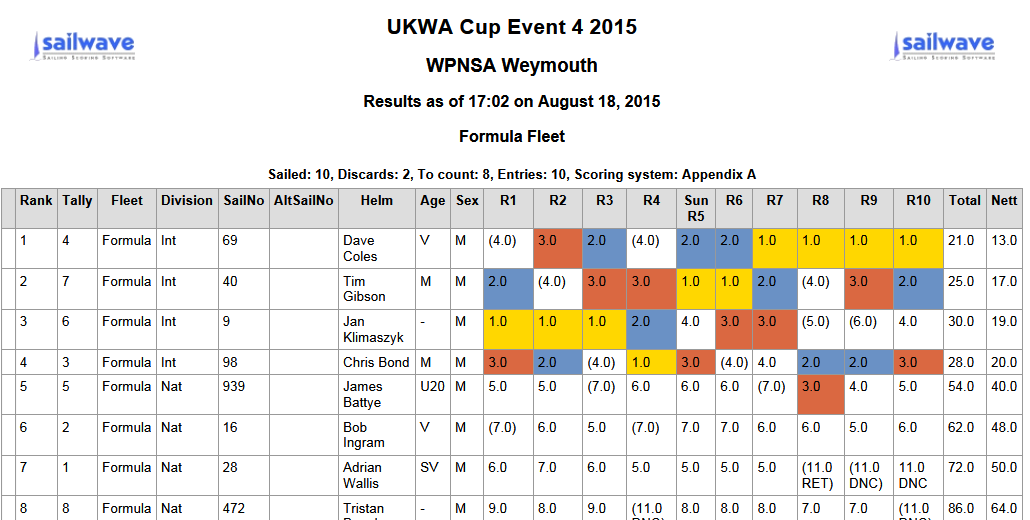
This effect highlights the first 3 places in the series summary tables in different colours. It is an extension of Colin’s HighlightWins effect. It can be used as it is or you can examine the code to see how only the race columns are manipulated (1.0, 2.0 and 3.0 will not be highlighted in other columns or the table header). It will also highlight the results even if they are discarded as it uses a regular expression to match the points for 1st, 2nd and 3rd. The colours by default match those of stickers commonly used to denote these positions, but you can edit the colours to those of your choice.
This effect is useful when lots of fleets (min 2) are being published with series summary tables and race tables. It creates a simple index rather then showing everything at once.